
Serving Purulia Since 2009+91 9734290001
Dalmia Computers original logoDalmia ComputersPurulia’s Premium Tech Destination
LoginWhatsApp
Business software · data-first learning

TallyPrime Knowledge Centre

Understand TallyPrime company data, users, backup, restore, update and support decisions with release-aware official references.

Beginner to advanced9 min overviewSource review: 14 Aug 2026
Dalmia Computers Purulia Brand Concierge — TallyPrime 7.1, TSS & GST Specialist
Purulia Concierge Desk · Trusted TallyPrime Specialist

TallyPrime 7.1, TSS & GST Specialist

Configure Silver, Gold multi-user LAN, e-Invoicing and safe Tally data backups with our software desk.

Har Page = Smart Salesman · Honest Purulia Guidance

Interactive Need-Finder, Compatibility Check & Overspend Guard

Answer 3 quick skippable questions (zero login or phone gate) to see workload-matched tiers, 4-state compatibility checks, running-cost / EMI / 18% GST calculators, and live showroom demo availability.

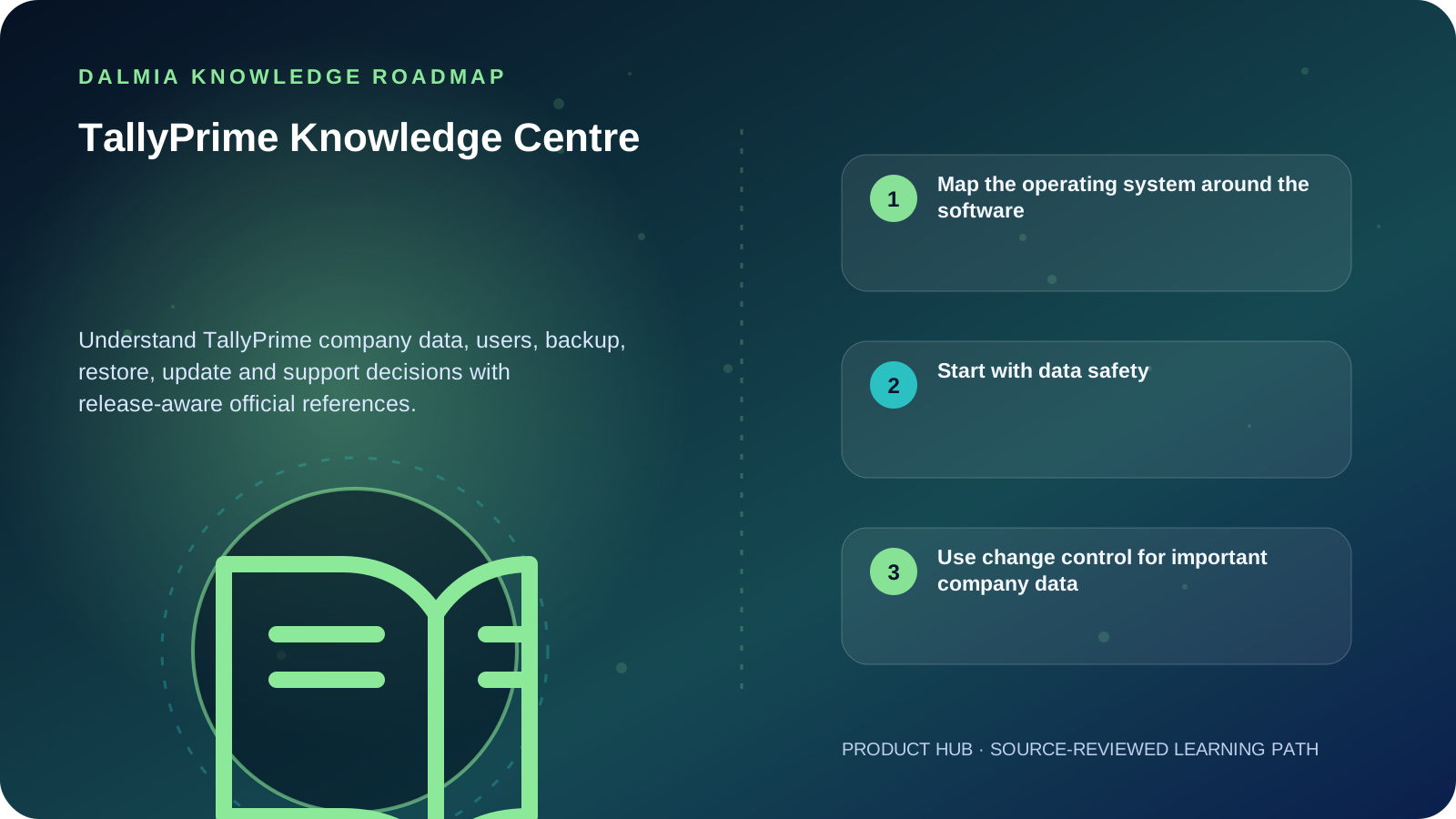
Visual roadmap for TallyPrime Knowledge Centre
Article roadmap covering Map the operating system around the software, Start with data safety, Use change control for important company data.
Quick answer

TallyPrime is business software whose value depends on accurate company data, controlled user access, current supported software and recoverable backups. Treat configuration, licensing, data files, backups and user permissions as separate responsibilities, and verify the workflow against the exact installed release.

Map the operating system around the software

Company data, application installation, license identity, user accounts, backup destinations, exported files and connected services have different risks. Document where each is stored, who owns it and how it is recovered before changing the system.

TallyHelp publishes release-specific workflows. Menu names, backup options and supported services can change, so first record the exact TallyPrime release and license context without exposing product keys or passwords.

  • Company data: active books and configuration that require integrity and retention
  • Users and roles: only the access each person needs for their work
  • Backups: separate copies with monitored success and a tested restore path
  • Software support: current release, operating-system compatibility and update status
  • Recovery records: protected contacts, license details, backup ownership and escalation path

Start with data safety

Backup and restore safely

Design a release-aware backup routine and rehearse recovery without overwriting live data.

Explore

Respond to a data error

Preserve the original, identify the release and use a supported repair-and-validation workflow.

Explore

Cybersecurity basics

Connect software use to MFA, patching, strong passwords and tested backups.

Explore

TallyPrime support

Use the service route for installation, renewal or workflow assistance that needs human verification.

Explore

Use change control for important company data

  1. Record the current release, data path, company selection and responsible administrator.
  2. Take a verified backup before migration, repair, split, import, bulk configuration or machine replacement.
  3. Test the planned step on a protected copy when the action could overwrite or transform data.
  4. Restrict administrator and recovery credentials; never send them through public forms or chat.
  5. Validate balances, reports, users and required workflows after the change before normal work resumes.

Sources and further reading

Technical statements were reviewed against these references. External pages may change after our review date.

  1. Backup and Restore Company Data in TallyPrime — TallyHelp
  2. Data Security FAQ — TallyHelp
  3. Cybersecurity basics — National Institute of Standards and Technology
Editorial standard

Educational content is separated from current stock, price, warranty and authorization claims. Corrections can be reported through the Dalmia contact desk.

Royal Violet Orbit Gallery · TallyPrime 7.1, GST & Business Software

Technical Reference & Workload Showcase

Explore TallyPrime 7.1, GST & Business Software →
TSS Annual Renewal & Connected GST #043 Multi-Counter LAN Lock Stability
TallyPrime Gold Multi-User LAN #050 Instant E-Invoice IRN + QR Print
TallyPrime Silver Single-User #057 Sandbox-Verified Version Upgrade
CA Audit & GSTR Reconciliation #064 Role-Based User Security Controls
Automated Encrypted Tally Backup #071 Zero-Data-Loss Migration Check
TallyPrime Gold Multi-User LAN #002 Multi-Counter LAN Lock Stability
Purulia Flagship Cinema · Interactive Chapters

Step Inside Dalmia Computers Purulia

Experience multi-brand laptops, 5G smartphones, custom PC builds, printers, CCTV planning, TallyPrime 7.1 and 7-stage OTP-verified repair care at Bikash Bhawan, Near ICICI Bank, Ranchi Road.

Verified Public Feedback · Google Place ID ChIJs4oLWox99jkRqigm5jEVJiE

Read Real Purulia Customer Feedback Before You Decide

Open the live Trustindex Google Reviews stream right here without slowing down initial page load, or visit our full Reviews & Social Hub.

Write a Review ★ Reviews & Social Hub → Google Maps ↗
Dalmia Smart Showroom Desk · Instant DB Prefill Ready

Send Your Shortlist or Ask for Live Availability

Returning customers enjoy instant smart phone memory. No payment is collected online — our Purulia showroom confirms exact stock and GST pricing.

No online payment is collected. Current stock, exchange inspection and GST pricing are confirmed by our Ranchi Road team.

Join @dalmiacomputers VIP Community & Reviews Unboxings, tech care guides, monthly 13-rank gifts & verified Purulia showroom updates.
CallWhatsApp